How Sprout Canvas helps
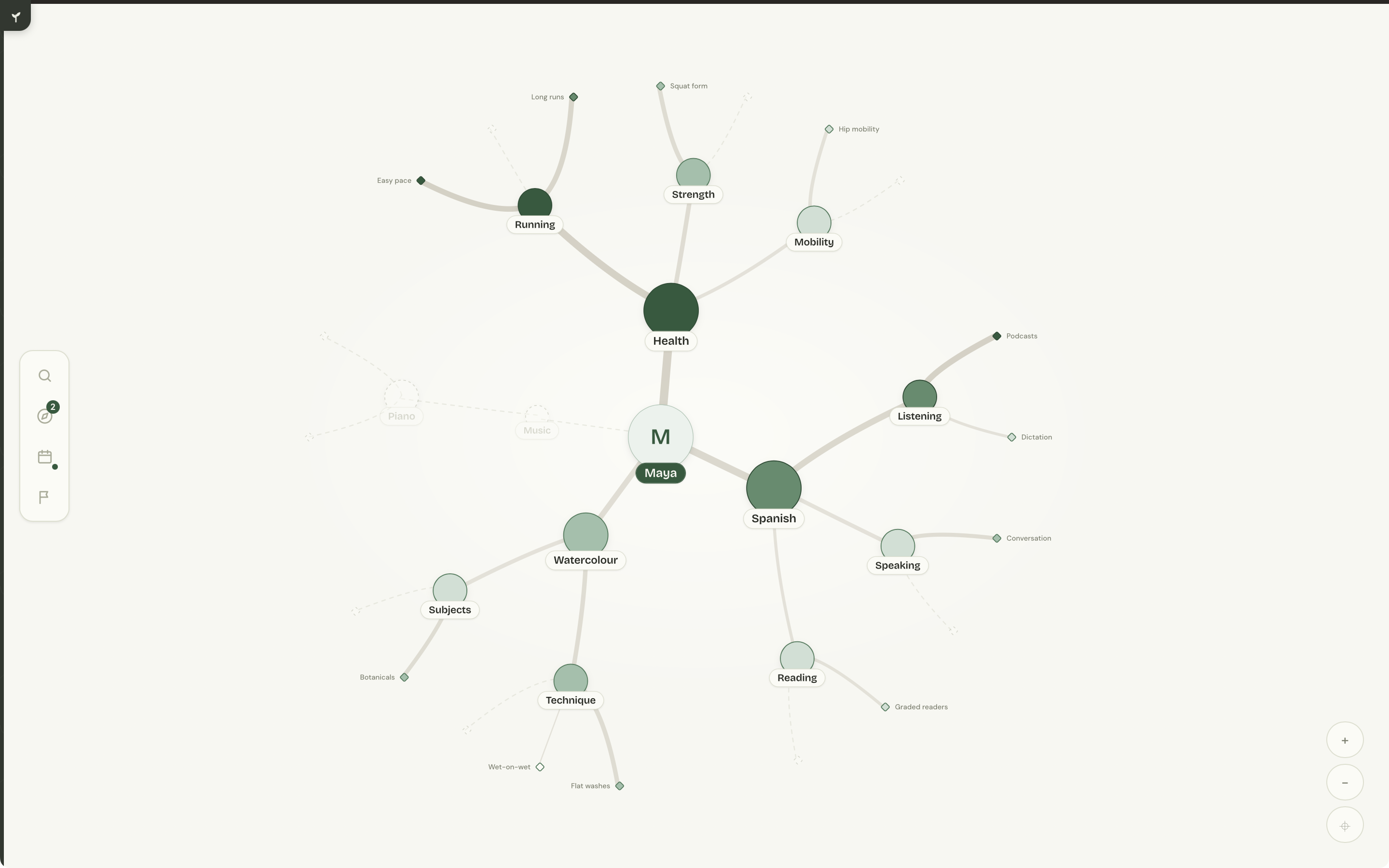
The Sprout Canvas is your plan brought to life. Instead of keeping goals, notes and schedules in separate places, you can connect these pieces and see how each area of your life is impacted by where you're focusing your time.
How it works
- 1. Add your Domains
Start with the broad areas of life you want to grow in.
- 2. Add branches and skills
Add sub-topics and skills under each Domain as you discover them.
- 3. Read the map
Use the Canvas to review your plan and decide what to focus on next.
Key terms
- Domain
- A broad area of life, such as music or health.
- Branch
- A sub-topic within a Domain.
- Skill
- Something specific you can practice and improve.
- Canvas
- The interactive map that holds all of the above.
FAQ
What does this visual help me do?
The same way a bar graph turns numbers into something you can reason about, the Sprout Canvas turns your growth into something you can see, question and shape. Darker nodes and thicker lines show where your time is going. Faint ones show what you have set aside. Seeing it all together makes it easier to notice imbalance, decide what deserves more attention, and adjust your Routine on purpose.
What does the Sprout Canvas show?
It shows every Domain, branch and skill in your plan as one connected map.
Why are some Branches lighter than others?
Color shows how much focus or practice time a Branch is getting. Branches with activities in your Routine fill in with deeper shades of green as you practice them more. Branches that are not in a Routine appear faint, with dashed outlines and lines. Nothing is wrong with a lighter Branch. It is dormant until you decide to give it time.
How does my Routine change my Sprout?
Your Routine is where your plan gets real time. When you add an activity to a Time Block, the skill and Branch it belongs to become active on the Canvas. As you keep practicing, those nodes grow darker and the lines leading to them grow thicker. When you remove something from your Routine, it fades back to a resting state.